
Wie Sie eine Liste zu Webseiten und Anwendungen für die Nutzer/innen Ihrer Organisation zur Verfügung stellen
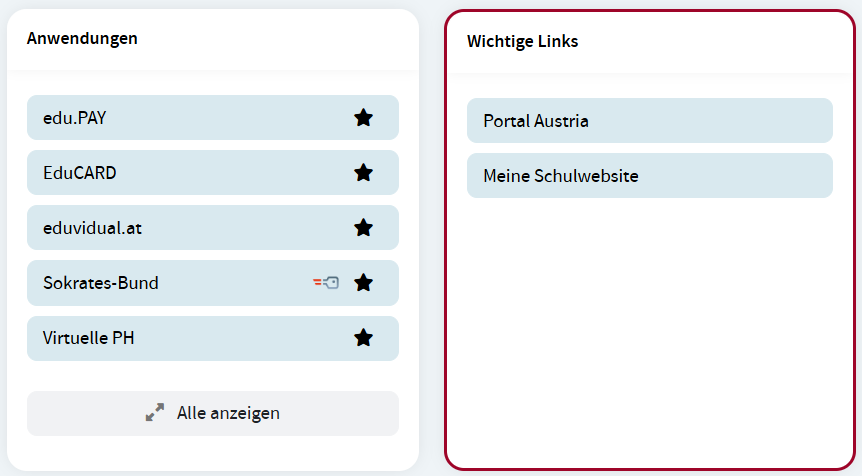
Direktorinnen und Direktoren sowie berechtigte Bedienstete können den Nutzerinnen und Nutzern der Organisation eine Liste mit Links zu Webseiten oder Webapplikationen zur Verfügung stellen. Diese Liste mit wichtigen Links wird am Dashbord der Nutzerinnen und Nutzer in einem eigenen Widget Wichtige Links angezeigt. Abhängig von der Rolle der Nutzerinnen und Nutezr können unterschiedliche Links angezeit werden, d. h. für Schüler/innen, Lehrer/innen, Erziehungsberechtigte und Schulleiter/innen.
Das Widget Wichtige Links wird nur angezeigt, wenn zumindest ein Link für die jeweilige Rolle hinzugefügt wurde.
Links hinzufügen
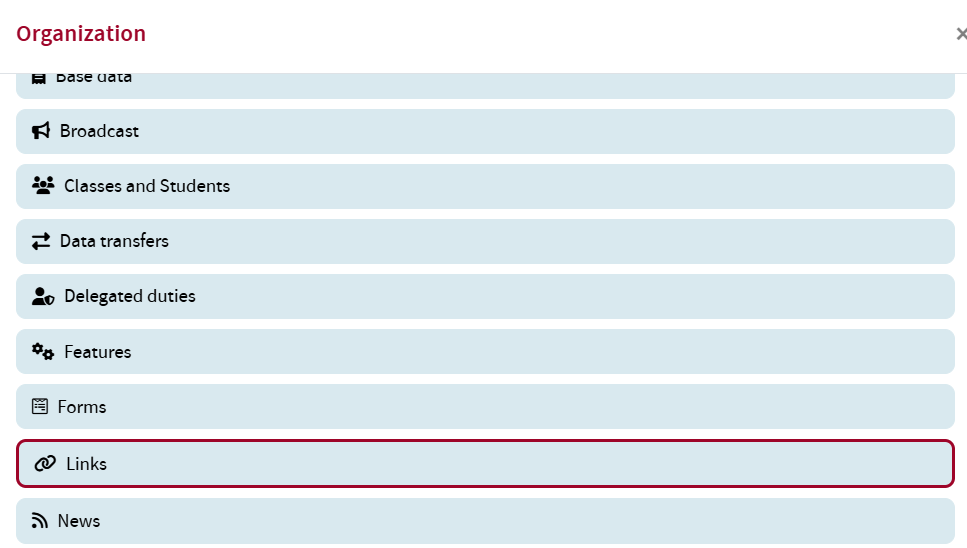
Um einen Link, der im Widget angezeigt werden soll, hinzuzufügen, öffnen Sie im Widgeht Organisation die Option Links.
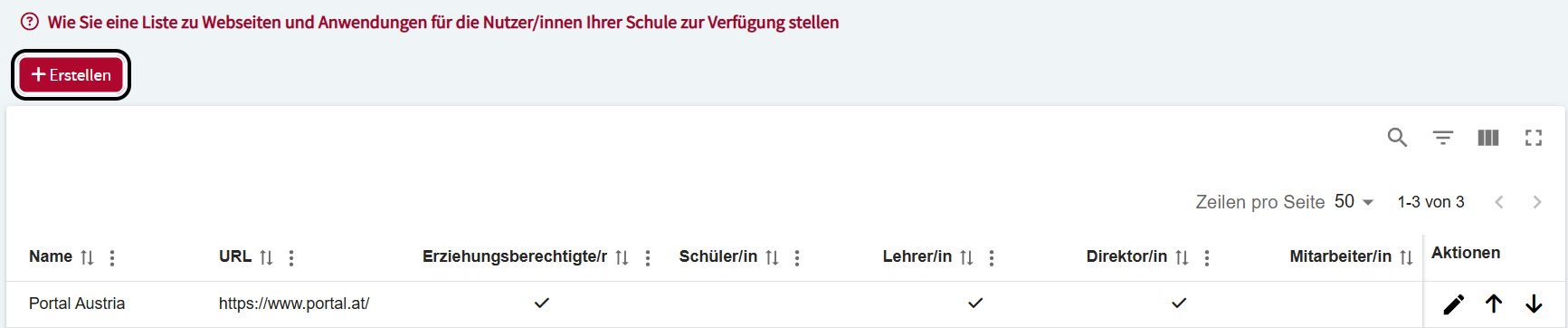
Klicken Sie auf den Button Erstellen.
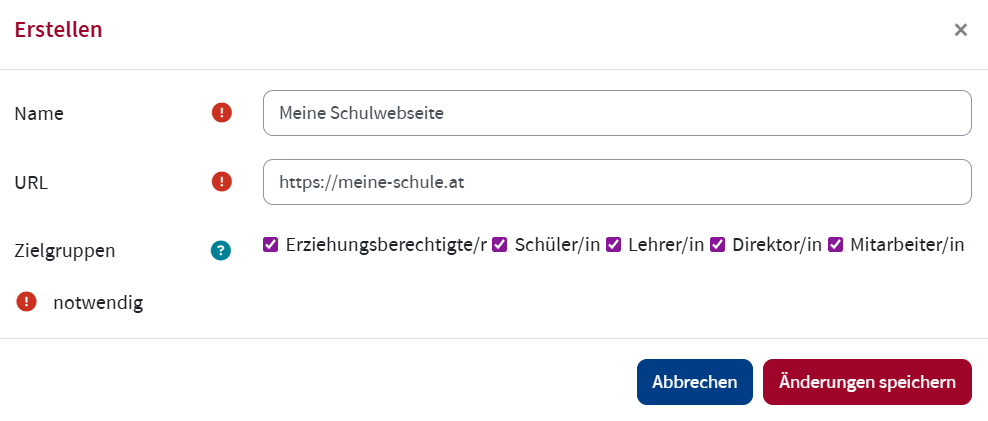
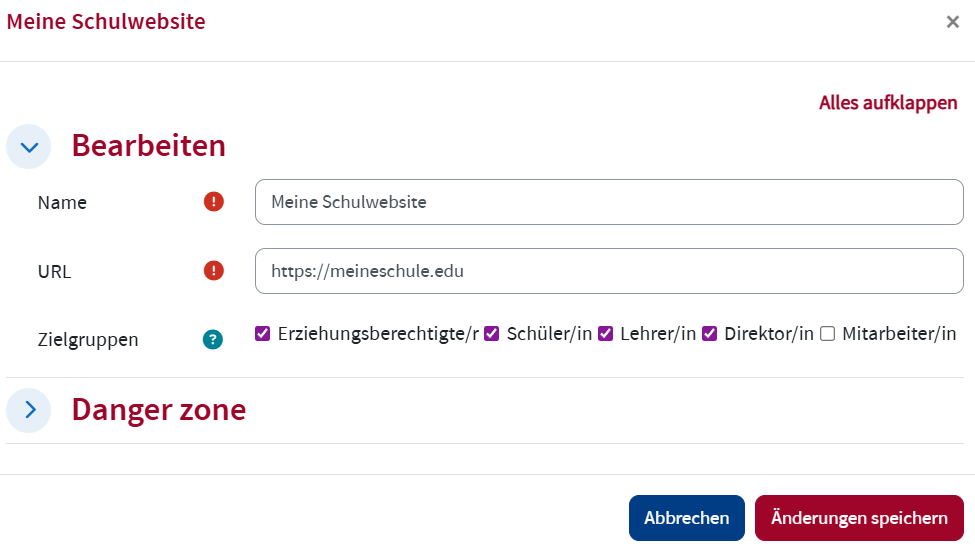
Geben Sie den Namen der Webseite oder Webapplikation und die URL ein. Aktivieren Sie die Checkboxen jener Rollen, denen der Link angezeigt werden soll. Wenn keine Checkbox aktiviert wird, wird der Link für niemanden angezeigt. Klicken Sie Änderungen speichern.
Links bearbeiten
Um einen Link zu bearbeiten, öffnen Sie im Widget Organisation die Option Links. Klicken Sie in der Spalte Aktionen auf das Bearbeiten Symbol des Links, den Sie bearbeiten möchten.

Bearbeiten Sie den Link und klicken Sie Änderungen speichern.
Links entfernen
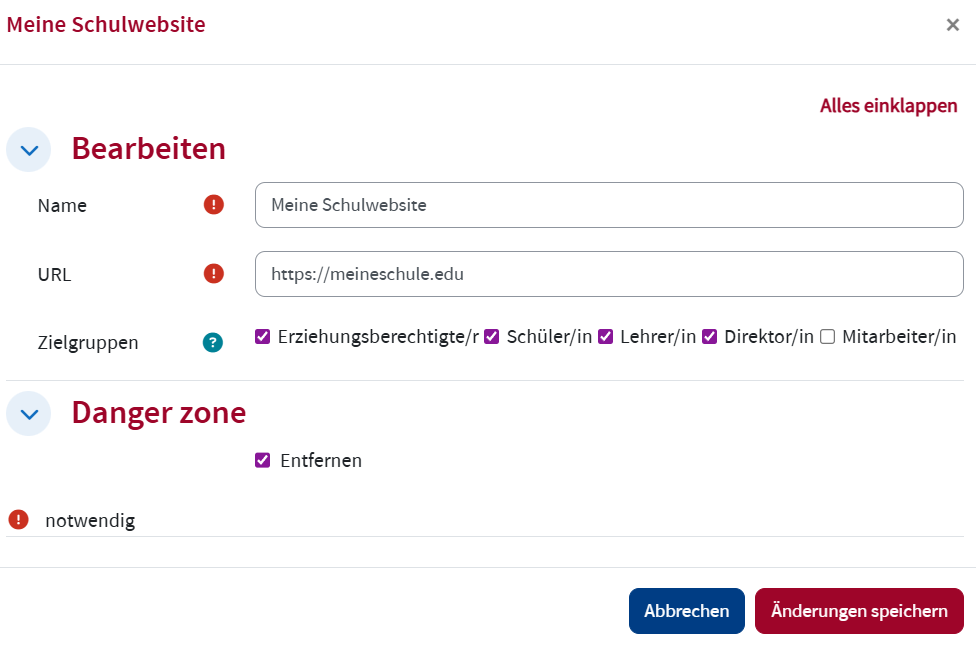
Um einen Link zu entfernen, öffnen Sie im Widget Organisation die Option Links. Klicken Sie in der Spalte Aktionen auf das Bearbeiten Symbol des Links, den Sie entfernen möchten.
Klappen Sie die
Links anordnen
Um Links in eine andere Reihenfolge zu bringen, öffnen Sie im Widget Organisation die Option Links. Klicken Sie auf den nach oben oder nach unten Pfeil des entsprechenden Links.
